
Configuration
Settings Panels
Speech Input (Keybinds)
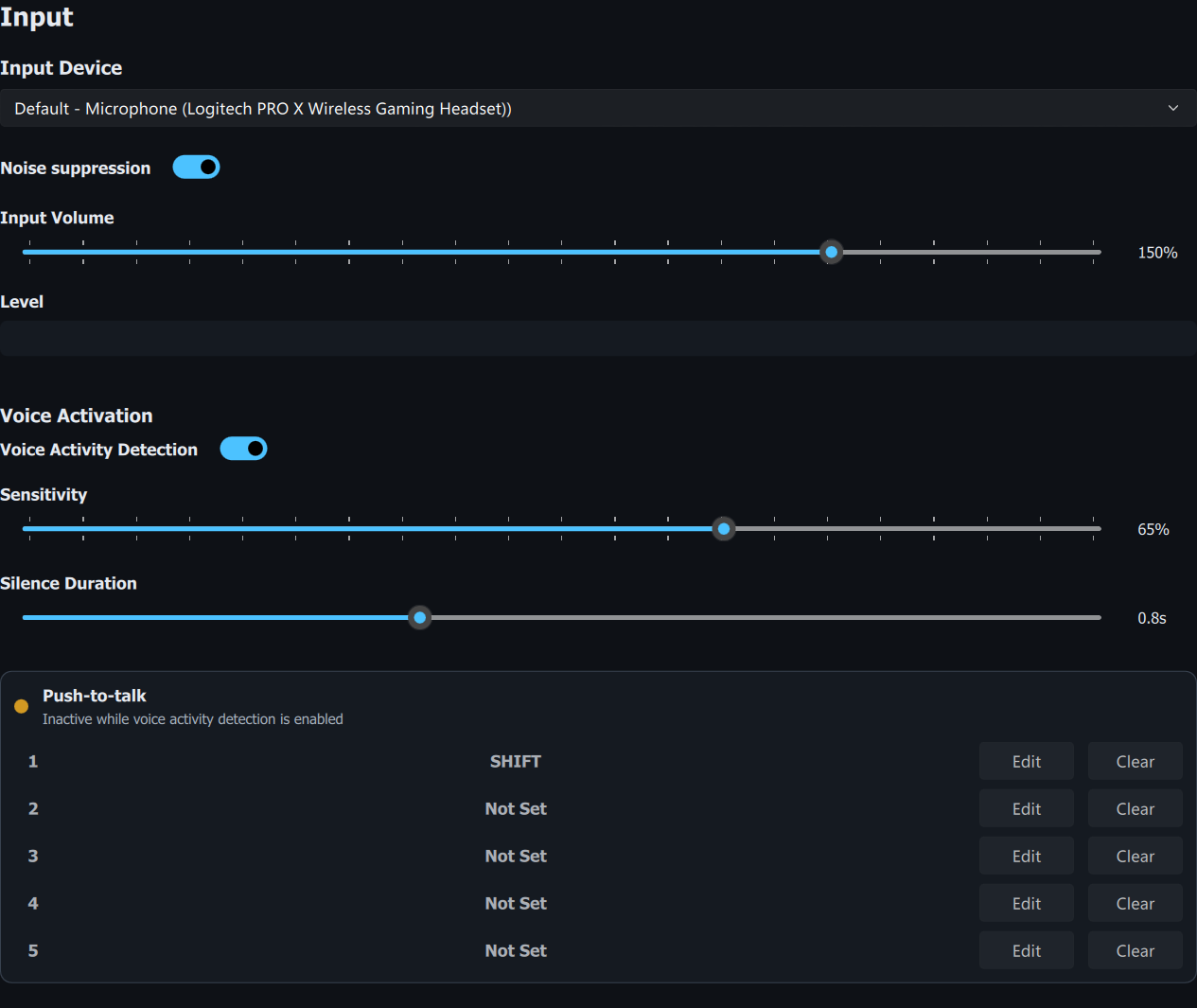
The Speech Input panel lets you configure a total of five keybinds so that you can use the AI Assistant with different devices if desired. Each keybind can be configured with up to two inputs, including any combination of keyboard, mouse or joystick buttons.
Speech Output (Audio)
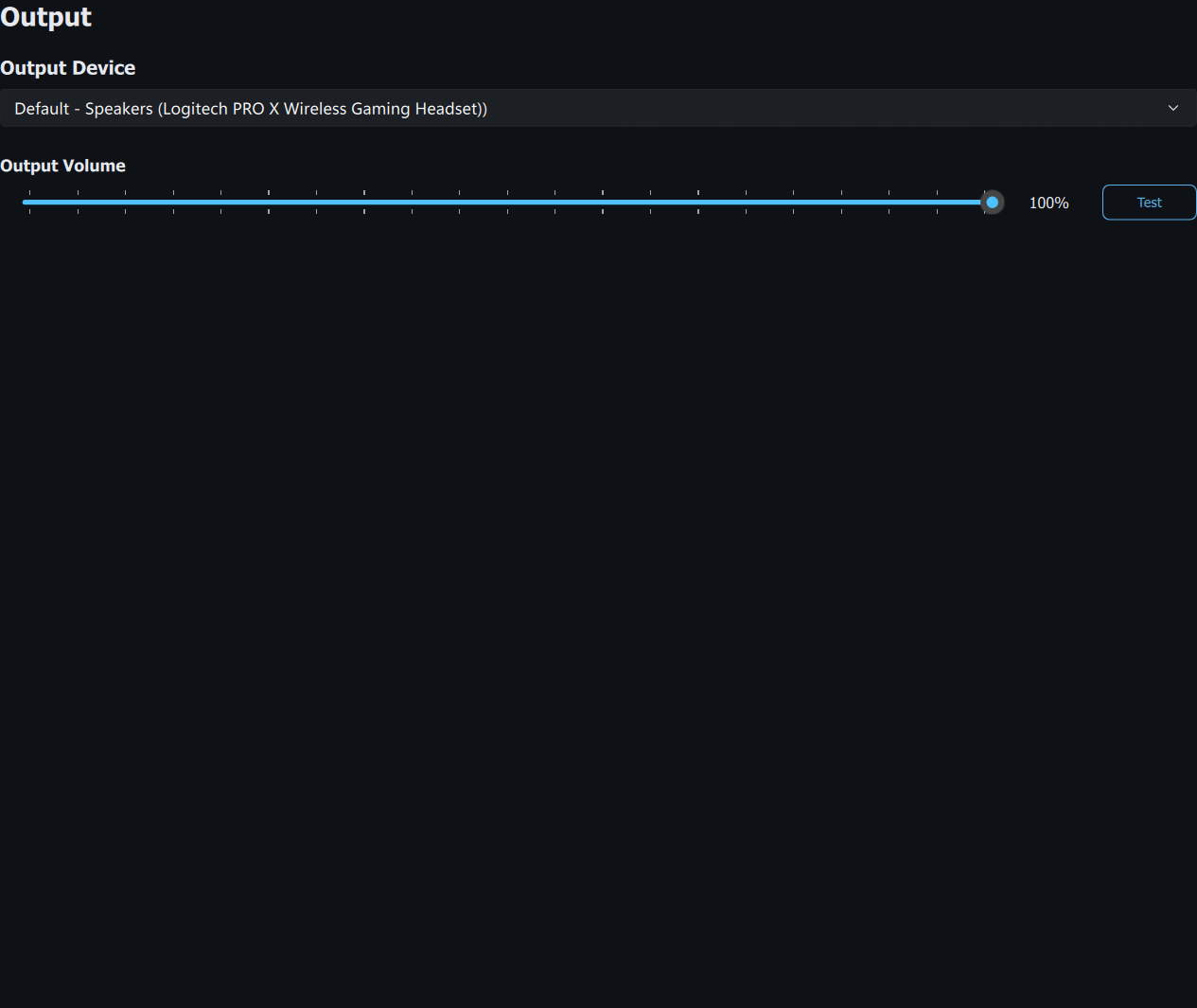
The Speech Output panel lets you configure your audio input and output devices, Speech Synthesis voice, and audio output volume.
System
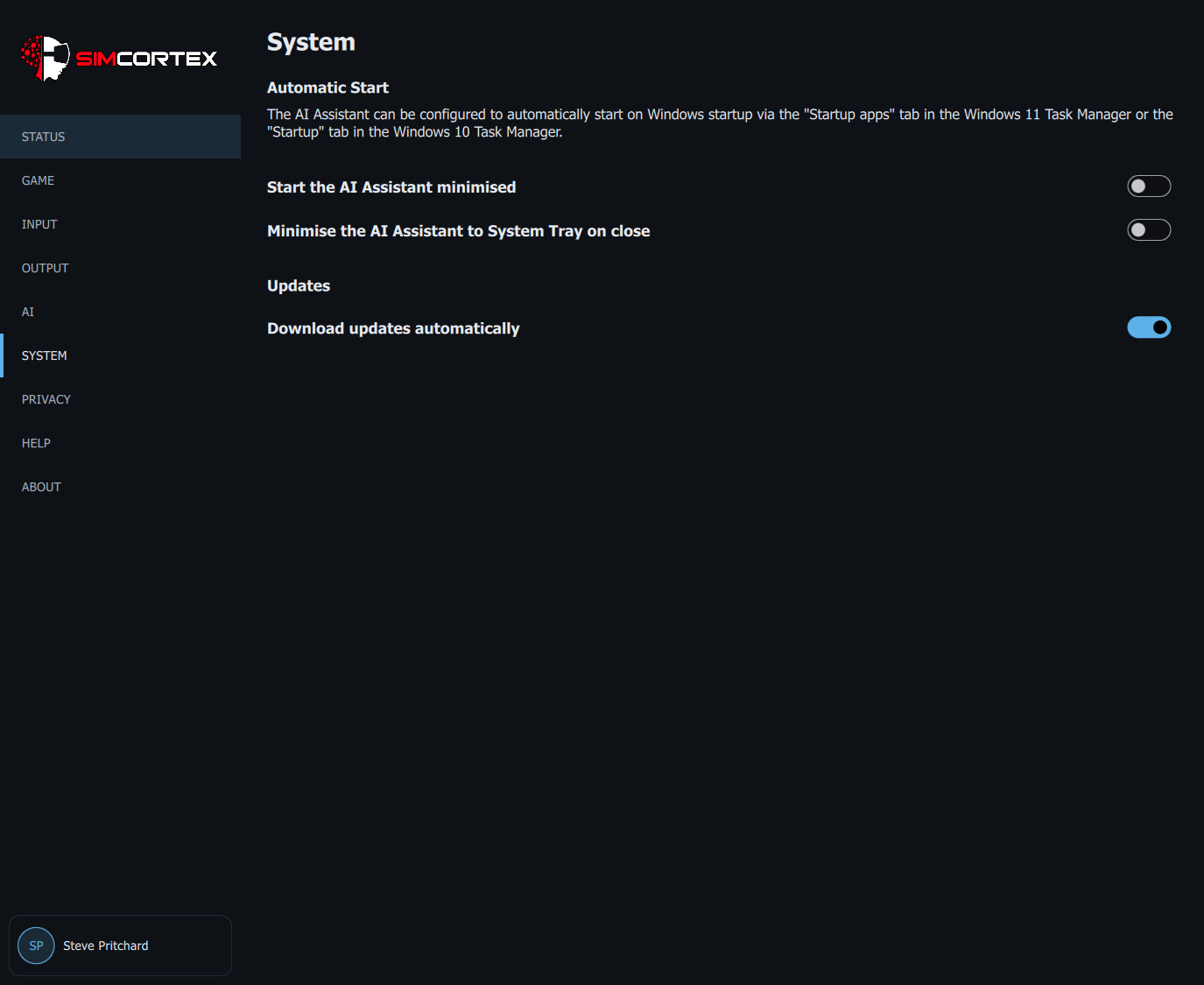
The System panel lets you configure the application to start minimised, minimise to the System Tray when the window is closed, and choose whether updates download automatically in the background. Use Windows Task Manager to enable or disable automatic start on Windows startup.
Application Updates
The AI Assistant will automatically check for updates on startup, and once per hour while running. When a new version is available, a notification card appears at the bottom of the navigation menu.
By default the update downloads automatically in the background, so the card simply offers Restart & Update when it is ready. If you turn off "Download updates automatically" in the System panel (or you are on a metered connection), the card offers a Download button instead, with progress and the option to cancel while it downloads.
Choosing Restart & Update closes the AI Assistant, installs the update showing only a progress bar, and then reopens the AI Assistant automatically. Every downloaded update is verified against its published checksum before it is installed.